

Since Push Security published the original research here: ConsentFix: Browser-native ClickFix hijacks OAuth grants, there has been a steady stream of articles and new mitigations. This article aims to provide a summary of the actions on what to do.
What is ConsentFix?
At a high level, ConsentFix is a browser-native social engineering attack that results in OAuth tokens being issued to an attacker-controlled client.
The high-level overview is::
- A user is tricked into completing a legitimate Microsoft sign-in flow for a first-party application (for example, Azure CLI). This is because any website can pretend to be a native app like the Azure CLI. The only protection Microsoft has is they control the redirect in the login flow (the redirect URI).
- In the case of the vulnerable first-party apps, the redirect URI is
http://localhost/.... If the attacker started the sign-in, it cannot listen on localhost which causes a ‘server not found’ error in the users’ browser. - The attacker convinces the user to provide that localhost redirect URL (copy/paste, drag-and-drop, “verification step”, etc). They even have an animated image showing the error and how to copy/paste the URL - badged as a “verification step” to make it look more legitimate.
- The attacker exchanges the stolen authorization code for tokens and can then access Microsoft 365 / Azure resources as the user (depending on scopes and what that client can request).
“Block user consent” to apps doesn’t help. The technique abuses Microsoft first-party apps that are implicitly trusted/pre-consented in tenants, which is part of why it’s so impactful. There is a way to import them and require user assignment, which is covered in the mitigations section below.
Actions to take (from easiest → hardest)
1) Do nothing (and rely on Microsoft’s lifetime change)
Nestori on X spotted that Microsoft documentation has reduced the lifetime of authorization codes from 1 hour to 1 minute, which is a significant improvement in terms of reducing the attack window for ConsentFix. A victim needs to complete the steps within a minute, else the code won’t work.
Only Microsoft know a) why 1 minute was chosen and not less and b) how effective this change was.
See here for the Microsoft documentation.
2) Detect ConsentFix and respond
Fabian Bader on X pointed out that Microsoft Defender for Identity now includes an alert explicitly referencing ConsentFix:
- Alert: “Possible adversary-in-the-middle (AiTM) attack detected (ConsentFix)”
- Internal name:
xdr_PossibleAitMConsentFix
See: Defender for Identity XDR alerts.
If you’ve got a Defender for Identity licence (or E5), then alert and respond to ConsentFix detections by revoking sign-in sessions. Better still, use Conditional Access…
3) Use Entra ID Protection (P2) to detect risk and re-request MFA
With Entra ID Protection P2 it is possible to create Conditional Access policies:
- Sign-in risk
- User risk
If Microsoft detect consentfix-like behaviour, they will raise the sign-in risk level which can trigger a Conditional Access policy to step-up for MFA or block access - all without you having to detect and respond to the alert.
There are caveats however: This will rely upon Microsoft succesfully detecting the attack, and the CA policy is based on overall risk and not specifically the ConsentFix detection.
See this document for how to create Entra ID Protection risk-based Conditional Access policies.
4) Limit access to Microsoft first-party apps (the “hard but effective” option)
The list of possible action so far will reduce risk and not prevent ConsentFix entirely.
The most practical preventative approach (today) is to restrict which users can vulnerable first-party clients — especially in tenants where most users never need them.
The glueckkanja write-up is a great Entra-focused reference, including a list of affected first-party applications: ConsentFix: How a New OAuth Attack Bypasses Microsoft Entra Conditional Access.
To avoid duplication I recommend following glueckkanja’s article on configuring Conditional Access or requiring assignment.
You will probably find that you can’t find all the service principals in Conditional Access. This is because nobody in your organisation has used that app yet. Because they are built-in first-party apps they are actually pre-consented when the first person tries to use them.
You can use the script below (and ironically, use Microsoft Graph CLI app with the localhost redirect) to import the service principals for these first-party apps. Thenyou can manage the apps like any other enterprise app in your tenant.
The script will connect, download a list of first-party apps from Merrill’s GitHub, and then create a new service principal for the app.
Disconnect-MgGraph -ErrorAction SilentlyContinue
Connect-MgGraph -ContextScope Process -Scopes "Application.ReadWrite.All" -NoWelcome
$apps = (Invoke-WebRequest "https://raw.githubusercontent.com/merill/microsoft-info/main/_info/MicrosoftApps.csv").Content | ConvertFrom-Csv

foreach ($app in $apps) {
    $appId = @($app.AppId, $app.appId, $app.Id, $app.id) | Where-Object { $_ -match '^[0-9a-fA-F-]{36}$' } | Select-Object -First 1
    if (-not $appId) { continue }

    if (-not (Get-MgServicePrincipal -Filter "appId eq '$appId'" -Top 1)) {
        try {
            New-MgServicePrincipal -AppId $appId | Out-Null
            Write-Host "Added $appId"
        } catch {
            Write-Warning "Failed $appId : $($_.Exception.Message)"
        }
    }
}
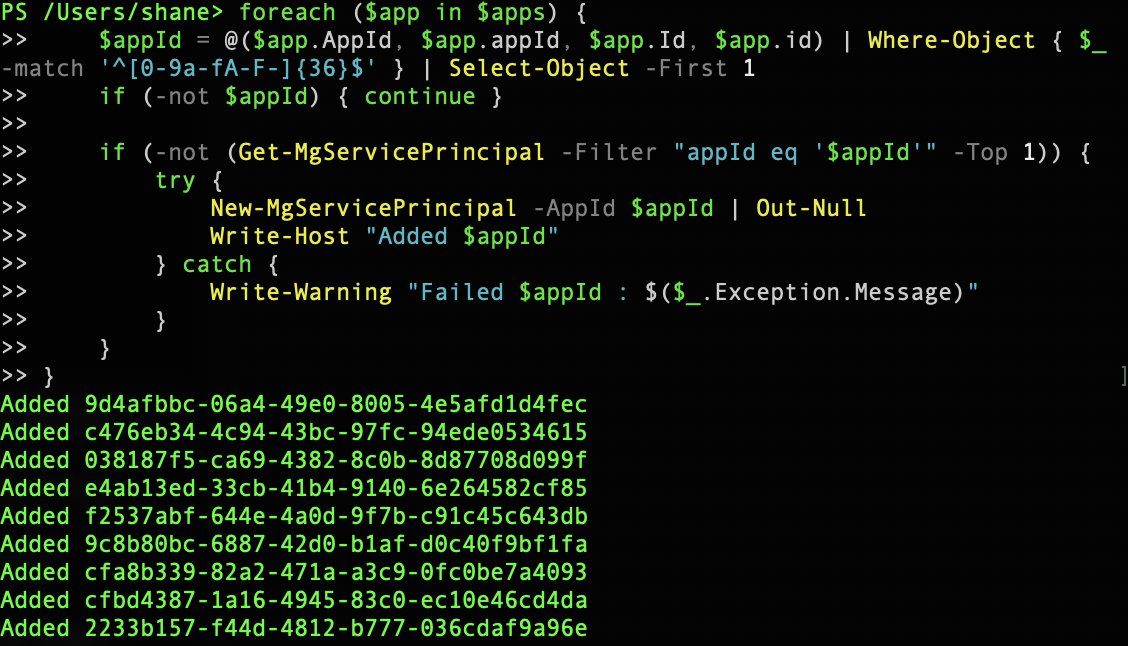
You should see something like the below as it imports the Microsoft first-party apps.
Putting it together
- First, if you can limit (or disable) who can use the first-party apps, then do this now.
- Enable and operationalise Defender for Identity detection for ConsentFix.
- Enable Entra ID Protection (P2) risk-based policies to step-up or block when risk is high.
Finally - PushSecurity did find this vulnerability through their in-browser presence. If you’ve got the funding, it may be worth considering their solution. I am in no way affliated with PushSecurity, but I do see the advantage of in-browser detection and response. I’ve also used them at a client where they discovered an incredible amount of shadow IT.